Case Study · 2024One Tap — All-in-one app for running marketing campaigns
How I designed an intuitive mobile app that helps users without any digital marketing knowledge run and manage social media campaigns directly from their phones.
Mobile App Design
SaaS
Social Media
Marketing
UI/UX
Product
One Tap — Mobile Marketing App
Platform
Mobile App (iOS-first)
Client
Neil K. (Sydney, Australia)
My Role
Lead UI/UX Designer — product conceptualization, user journey, wireframes, UI design, prototyping, and handoff
Making digital marketing accessible on mobile
I worked with Neil, from Sydney (Australia), to design an app that helps people run social media marketing campaigns on their phone easily.
We started our discussion mainly on the logistics and planning of the app — frameworks to use, costs involved in hiring a developer, and the overall timeline of the project. I was involved as the lead UI/UX Designer and provided advice on the conceptualization of the app to ensure a smooth development process.
How I structured the design process
01
Moodboard
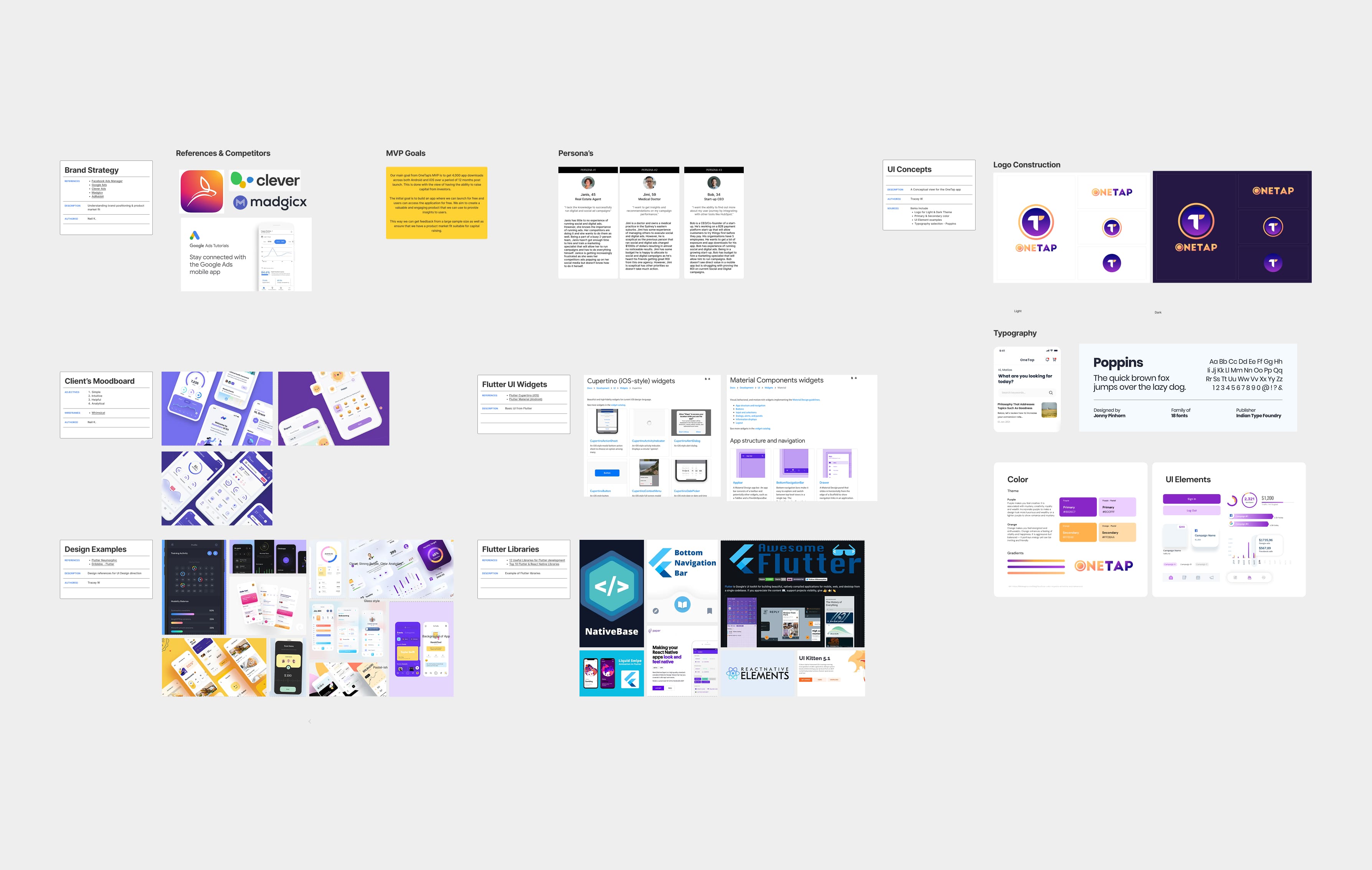
Gathered inspiration and established a visual direction tailored for users with zero digital marketing knowledge, focusing on approachability and simplicity.
02
User Journey
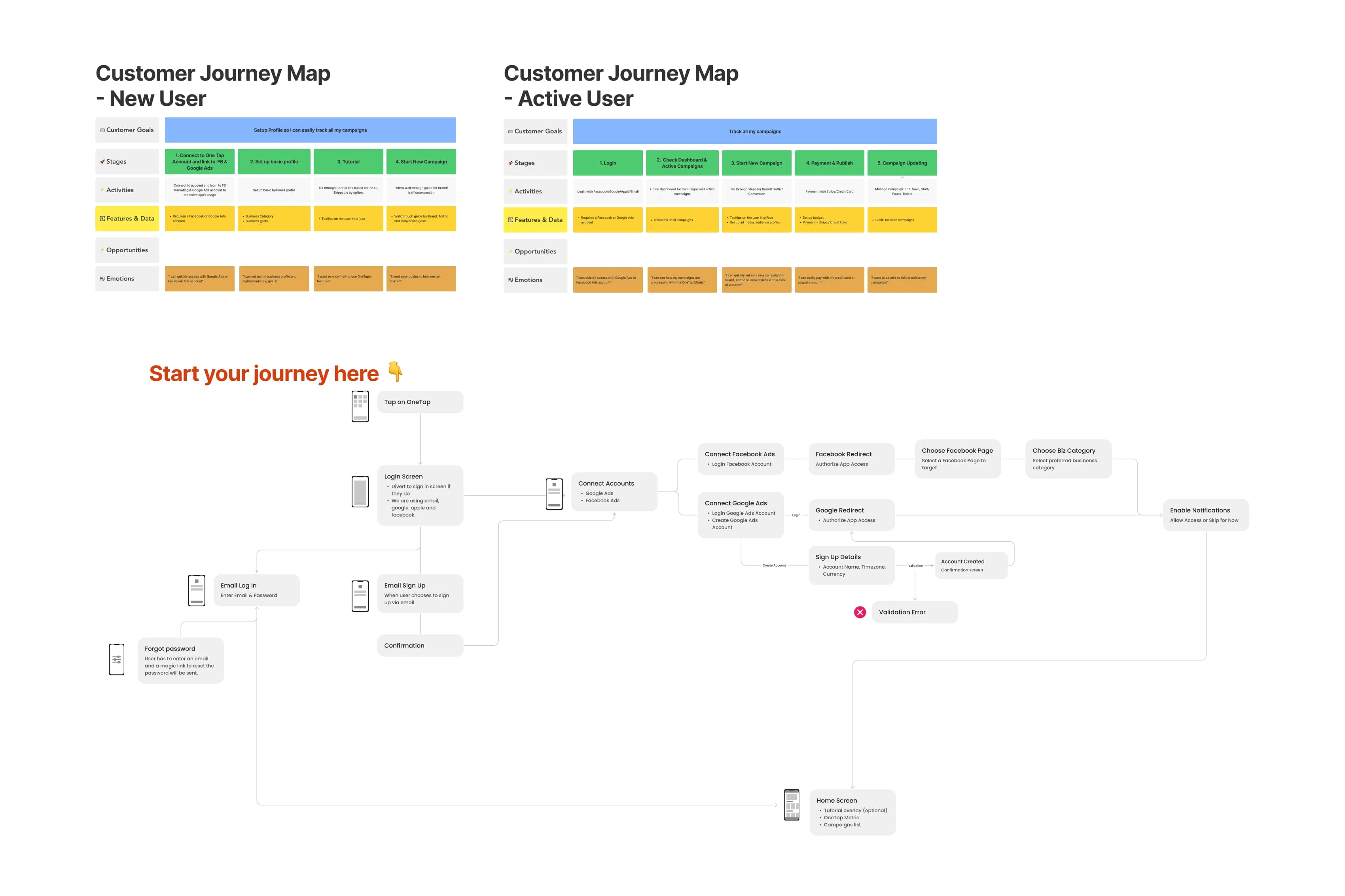
Mapped out the core experience from onboarding to campaign launch, identifying key touchpoints to simplify the complex process of social media marketing.
03
Wireframes
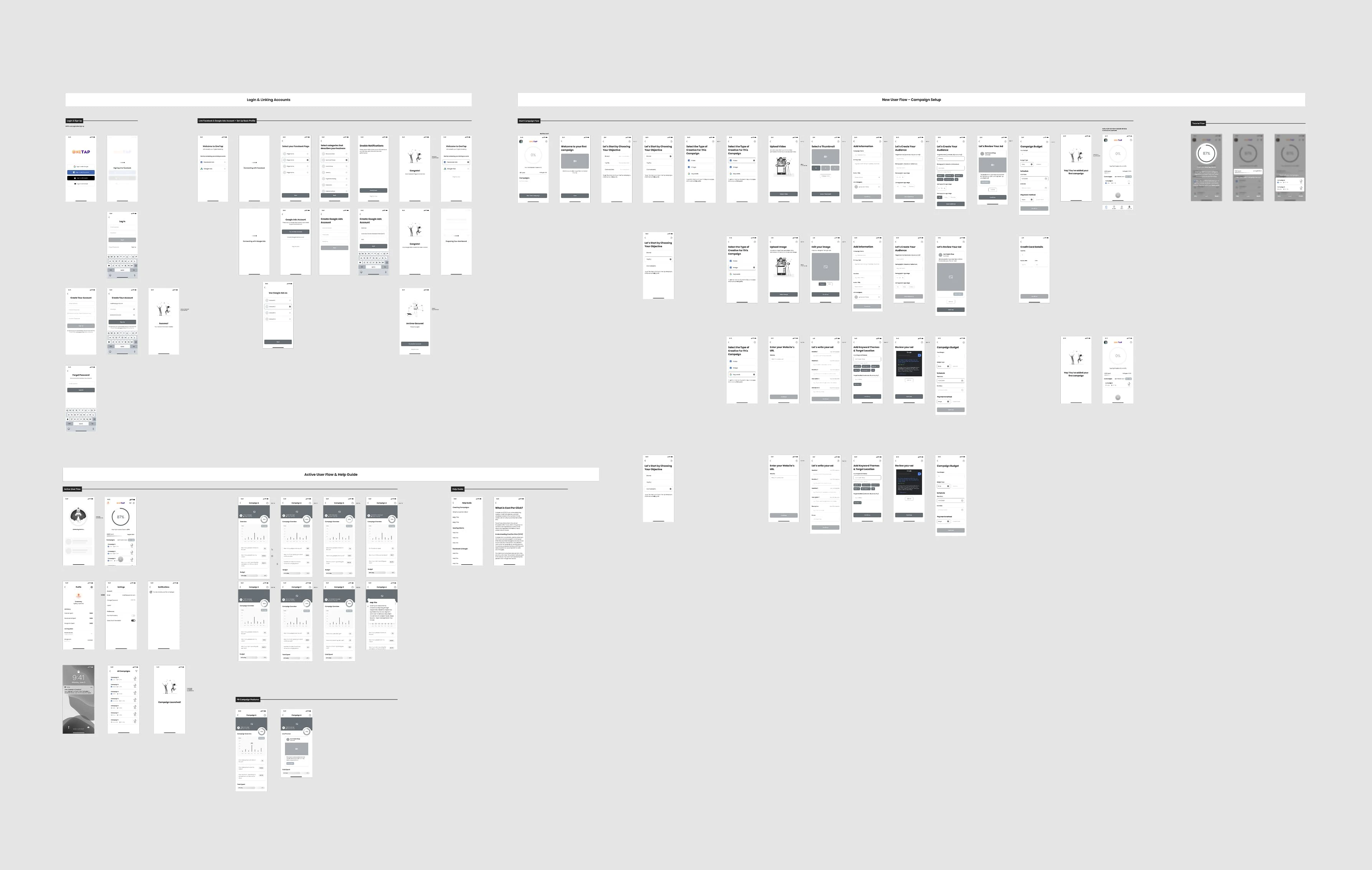
Designed low-fidelity iOS wireframes focusing heavily on structural hierarchy across three main flows: Login, New User, and Active User.
04
UI Design
Presented 3 distinct aesthetic styles. Applied the client's chosen accessible and modern design language to all app screens.
05
Prototype
Built a fully interactive prototype to validate the user flow and ensure the campaign creation process felt intuitive and frictionless.
06
Handoff
Refined the experience based on client feedback and prepared comprehensive Figma assets, including style guides and SVGs, for seamless developer handoff.
Understanding the target user
The UX process started in our kick-off meeting via Zoom. The client explained a clear vision: he wanted the app to be easy to use for people without any knowledge in digital marketing.
I gathered information and researched key competitors, user goals, and pain points. After our discussion, I prepared a moodboard and user journey map for our next meeting to align on the direction.
User Journey Map
Planning the initial user journey map — outlining how a user with no marketing background would navigate campaign creation
Structuring the iOS experience
After the User Journey Map was approved, I began to work on the initial wireframes within a week. The app was initially designed for iOS, focusing heavily on three main flows: Login, New User, and Active User.
Wireframes
Low-fidelity wireframes — showing the core flows for onboarding and campaign management.
1
Establishing the design language
I worked on an initial style guide based on the moodboard to have a visual framework in mind as I designed. Through the wireframe process, I began to have thoughts on key UI elements and interactions that would be most used throughout the user experience.
Moodboard
One Tap moodboard and style guide — colour palette, typography, and key UI component styles.
Bringing the wireframes to life
Once the wireframes were presented and re-worked, I began to work on the UI design for the app.
2
Exploring aesthetic directions
I presented 3 initial styles for the client using the home screen as a reference. Once I got to know which of the styles he preferred, I then proceeded into applying that style to the entire set of screens.
After the UI was completed, I tested the app UX/UI flow by creating an interactive prototype. This allowed us to feel out the transitions and ensure the campaign creation process actually felt as simple as intended.
Preparing for development and client feedback
After the prototype was shared with the client, I improved the user flow based on his feedback. Once the design and flow had been approved, I organized all assets in Figma for the developers.
3
Developer Documentation
Beyond just handing over screens, documentation on the style guide, illustration SVGs, fonts, and logos were also prepared beforehand to ensure a seamless build process.
Testimonial
"Tracey was great! Really responsive and took ownership of her work. The quality of the work was great."